Подключение в OpenCode

  1. Установите плагин OpenCode

  2. Создайте файл opencode.json в корне проекта и заполните его содержимым ниже

    • Замените <YOUR_URL> на выданный Вам OpenAI-compatible URL
      • Если Вы видите эту инструкцию, но у Вас нет OpenAI-compatible URL, обратитесь к администратору организации
    {
    "$schema": "https://opencode.ai/config.json",
    "provider": {
    "veai": {
    "npm": "@ai-sdk/openai-compatible",
    "name": "veai",
    "options": {
    "baseURL": "<YOUR_URL>"
    },
    "models": {
    "auto": {
    "name": "auto",
    "limit": {
    "context": 272000,
    "output": 32768
    }
    },
    "Anthropic/haiku-4.5": {
    "name": "Anthropic/haiku-4.5",
    "limit": {
    "context": 264000,
    "output": 64000
    }
    },
    "Anthropic/opus-4.6": {
    "name": "Anthropic/opus-4.6",
    "limit": {
    "context": 465536,
    "output": 65536
    }
    },
    "Anthropic/opus-4.7": {
    "name": "Anthropic/opus-4.7",
    "limit": {
    "context": 465536,
    "output": 65536
    }
    },
    "Anthropic/opus-4.7-1m": {
    "name": "Anthropic/opus-4.7-1m",
    "limit": {
    "context": 1000000,
    "output": 64000
    }
    },
    "Anthropic/opus-4.8": {
    "name": "Anthropic/opus-4.8",
    "limit": {
    "context": 465536,
    "output": 65536
    }
    },
    "Anthropic/opus-4.8-1m": {
    "name": "Anthropic/opus-4.8-1m",
    "limit": {
    "context": 1000000,
    "output": 64000
    }
    },
    "Anthropic/sonnet-4.6": {
    "name": "Anthropic/sonnet-4.6",
    "limit": {
    "context": 465536,
    "output": 65536
    }
    },
    "DeepSeek/deepseek-v4-flash": {
    "name": "DeepSeek/deepseek-v4-flash",
    "limit": {
    "context": 332768,
    "output": 131072
    }
    },
    "DeepSeek/deepseek-v4-pro": {
    "name": "DeepSeek/deepseek-v4-pro",
    "limit": {
    "context": 332768,
    "output": 32768
    }
    },
    "Google/gemini-3.1-pro": {
    "name": "Google/gemini-3.1-pro",
    "limit": {
    "context": 400000,
    "output": 65535
    }
    },
    "Google/gemini-3.5-flash": {
    "name": "Google/gemini-3.5-flash",
    "limit": {
    "context": 400000,
    "output": 65536
    }
    },
    "MiniMax/minimax-m2.7": {
    "name": "MiniMax/minimax-m2.7",
    "limit": {
    "context": 204800,
    "output": 32768
    }
    },
    "Moonshot/kimi-k2.6": {
    "name": "Moonshot/kimi-k2.6",
    "limit": {
    "context": 262144,
    "output": 32768
    }
    },
    "OpenAI/gpt-5.3-codex": {
    "name": "OpenAI/gpt-5.3-codex",
    "limit": {
    "context": 272000,
    "output": 32768
    }
    },
    "OpenAI/gpt-5.4": {
    "name": "OpenAI/gpt-5.4",
    "limit": {
    "context": 272000,
    "output": 32768
    }
    },
    "OpenAI/gpt-5.4-mini": {
    "name": "OpenAI/gpt-5.4-mini",
    "limit": {
    "context": 272000,
    "output": 32768
    }
    },
    "OpenAI/gpt-5.5": {
    "name": "OpenAI/gpt-5.5",
    "limit": {
    "context": 272000,
    "output": 32768
    }
    },
    "Tencent/hy3-preview": {
    "name": "Tencent/hy3-preview",
    "limit": {
    "context": 262144,
    "output": 65536
    }
    },
    "VeaiGPT/glm-5.1": {
    "name": "VeaiGPT/glm-5.1",
    "limit": {
    "context": 200000,
    "output": 8000
    }
    },
    "Xiaomi/mimo-v2.5-pro": {
    "name": "Xiaomi/mimo-v2.5-pro",
    "limit": {
    "context": 400000,
    "output": 131072
    }
    },
    "Z.AI/glm-5.1": {
    "name": "Z.AI/glm-5.1",
    "limit": {
    "context": 200000,
    "output": 8000
    }
    }
    }
    }
    }
    }
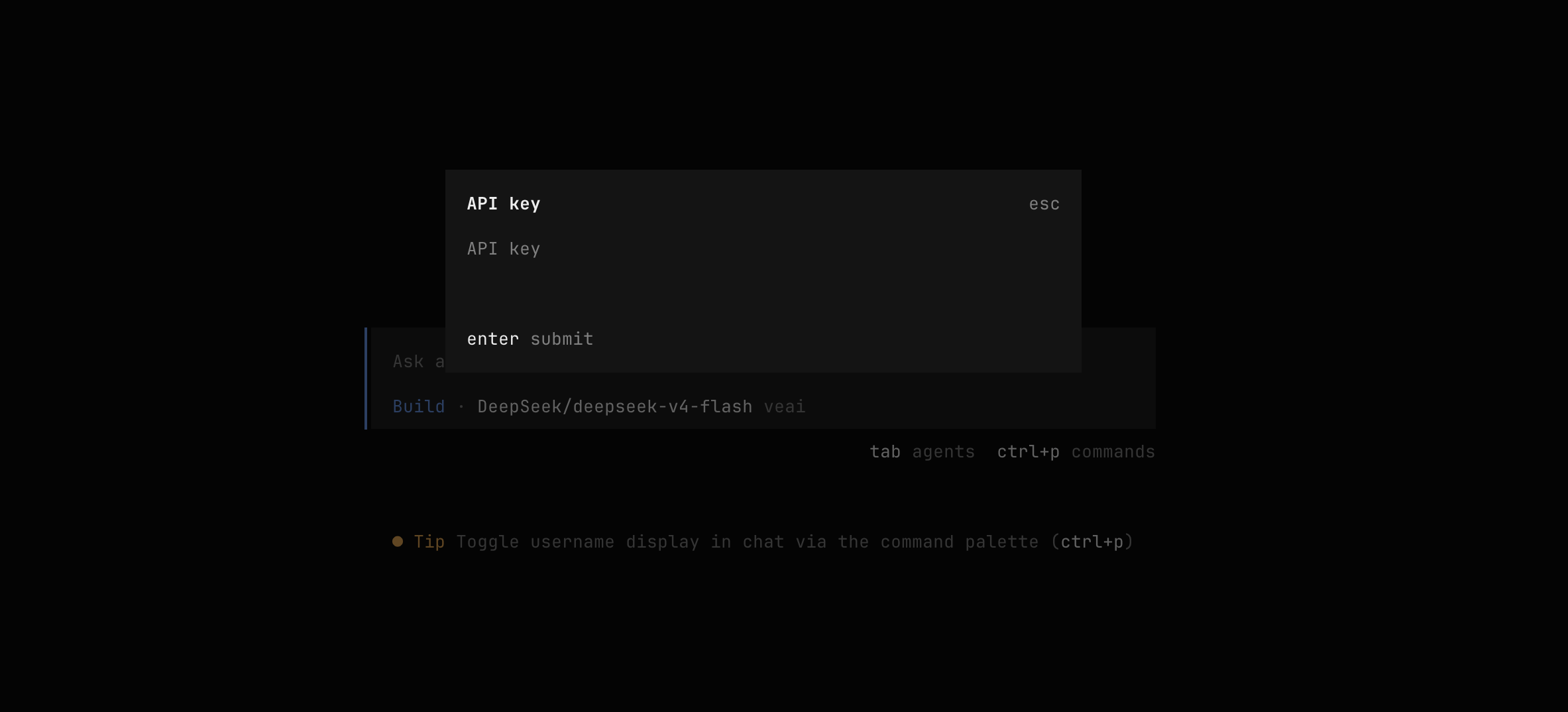
  3. Экспортируйте выданный Вам API-ключ как переменную окружения:

    • Если Вы видите эту инструкцию, но у Вас нет API-ключа, обратитесь к администратору организации
    export VEAI_API_KEY=<YOUR_API_KEY>
  4. Запустите интерактивный TUI:

    opencode
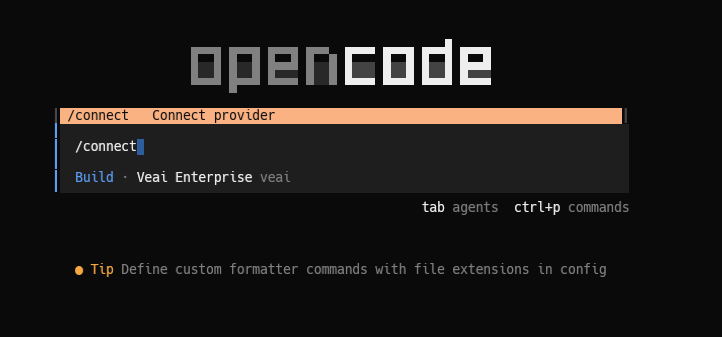
  5. Напишите /connect

    OpenCode connect

  6. Выберите veai (или другое название, которое Вы указали в конфиге)
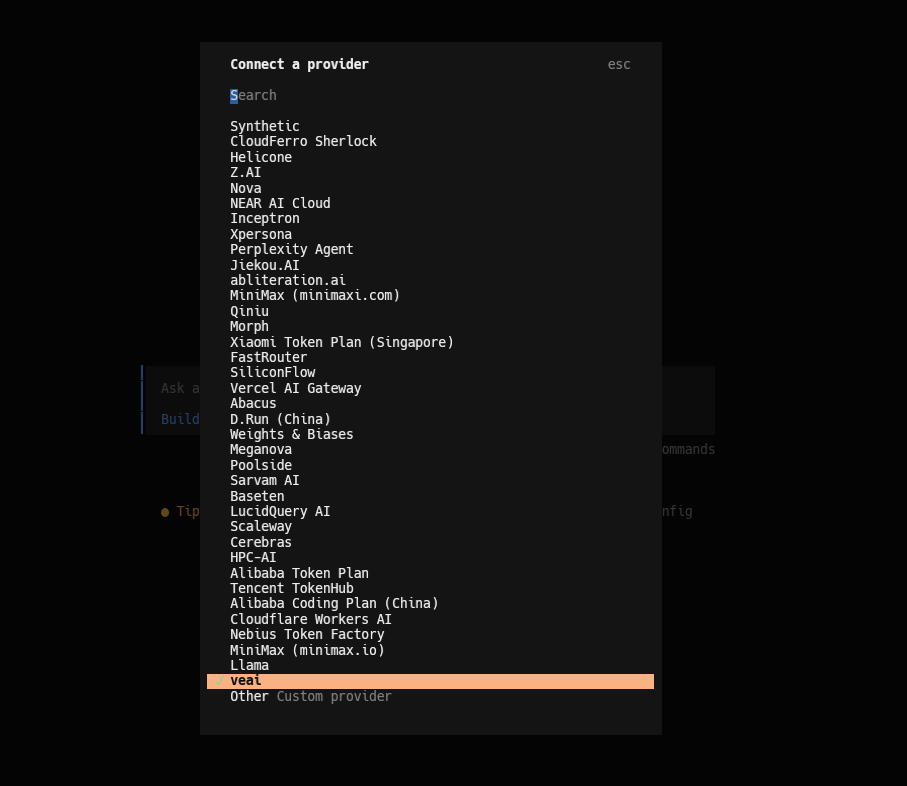
    OpenCode choose veai

В случае ошибок см. Значения ошибок.